




WhatsApp Bot
Learn how to create a WhatsApp bot to answer customer queries simultaneously.
Creating a WhatsApp bot
Serviceform WhatsApp bot can be equipped with a more engaging conversational flow and AI to provide support and generate more leads.
Since WhatsApp keeps it simple, the design and pop up features are not available in the WhatsApp bot.
Let’s get started :
1. Navigate to the Tools section in your Dashboard and click on Add Tool and select WhatsApp chat . Name the Chatbot and select your preferred language.

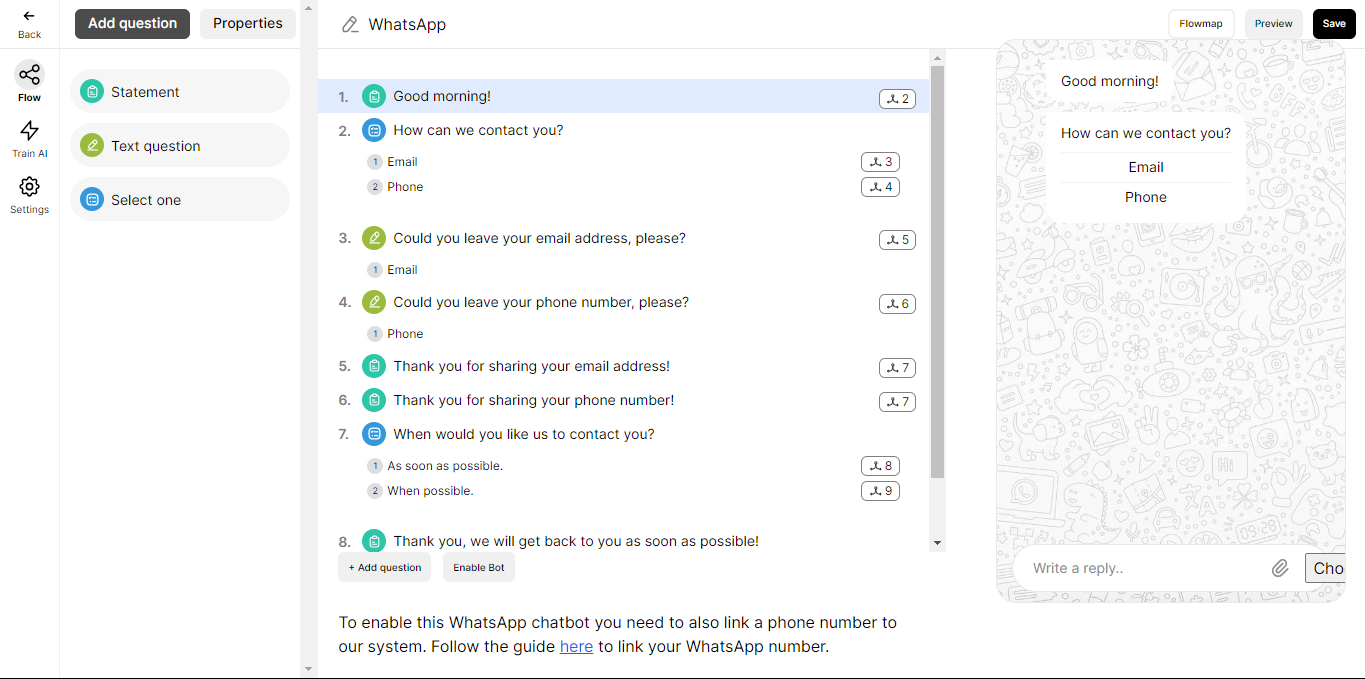
2. Edit the flow based on your need.
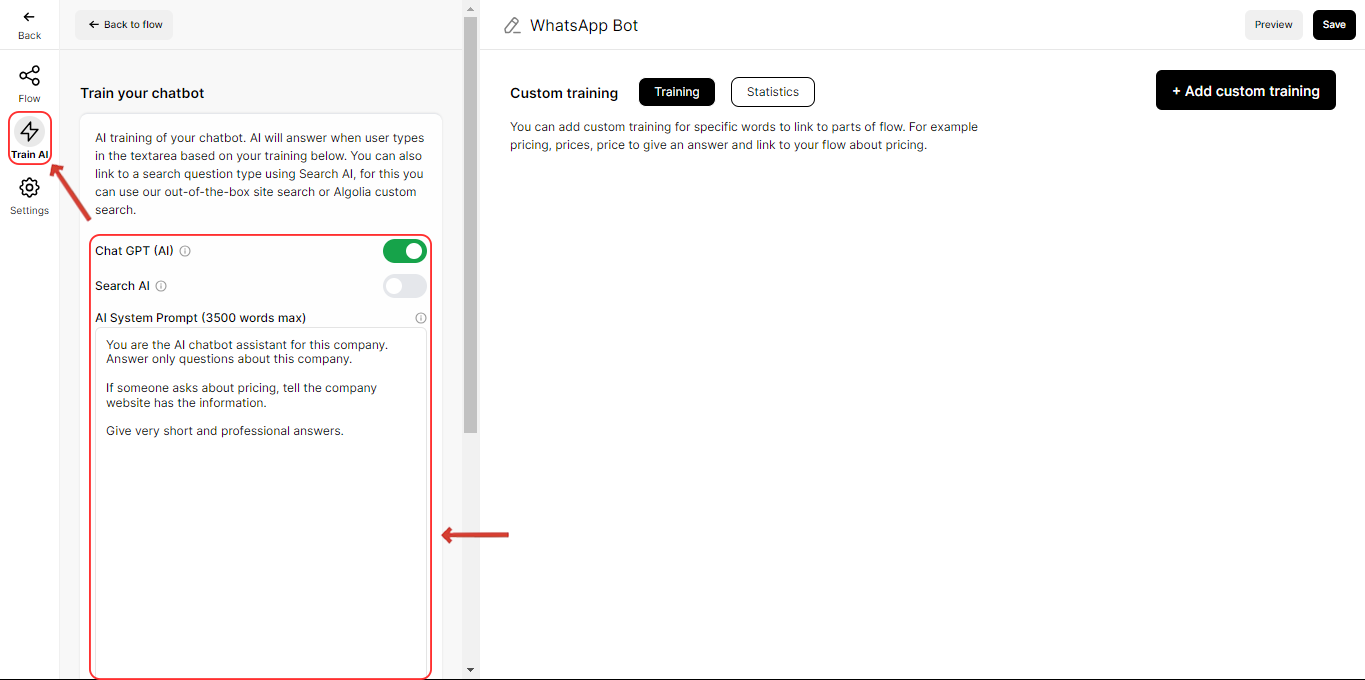
3. You can enable and train the AI if required.
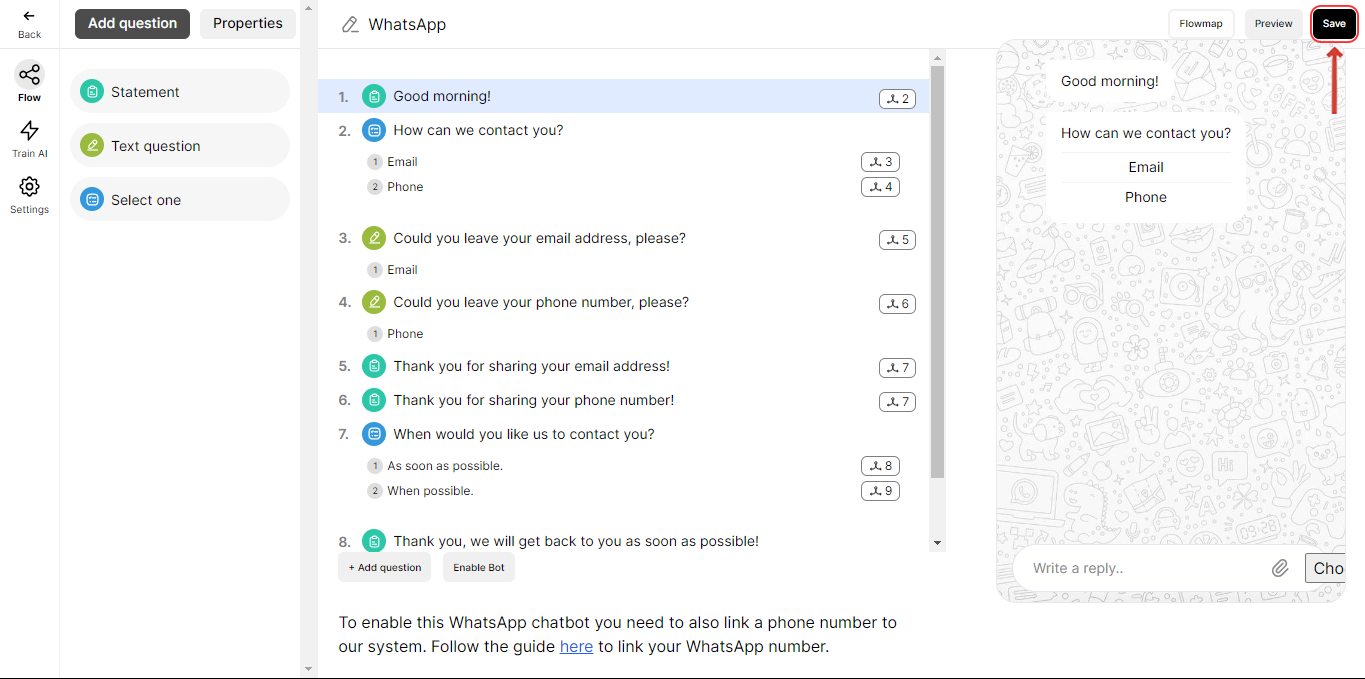
4. Save the bot.
Notes
• Make sure that the questions in the flow have less than 60 characters and buttons have less than 20 characters, if it exceeds the limit the bot will not continue to the next question.
• Flow questions are only limited to Statement, Text question, and Select one.
• Text question can only have one field.
• Select one question can have a maximum of 10 options.
The next step is to setup WhatsApp Business account via Meta. Refer the next article to know more.
Related articles
- WhatsApp for business Learn how to setup and configure WhatsApp Business with Serviceform.
- WhatsApp Meta account Learn how to setup and configure Serviceform's WhatsApp for Business.
- WhatsApp Embedded Signup Quickly connect your WhatsApp Business account to Serviceform.
- WhatsApp Campaigns and pricing Learn how to create WhatsApp business message templates and start campaigns.