




Creating a Videoform
Learn how to create and setup a Videoform(video chatbot).
Getting start with videoform
Video chatbots are another interesting way to connect with your customers easily.
Requirements
- Only the following video formats are supported in Videoform:
MP4, MKV, MOV, AVI, FLV, MPEG-2 TS, MPEG-2 PS, MXF, LXF, GXF, 3GP, WebM, MPG, and QuickTime.
- The recommended aspect ratio of the video should be 9:16.
- Maximum file size is 50MB (or less). Hence, make sure to use a video which is less than 50 MB in size.
This article will guide you through creating a Videoform:
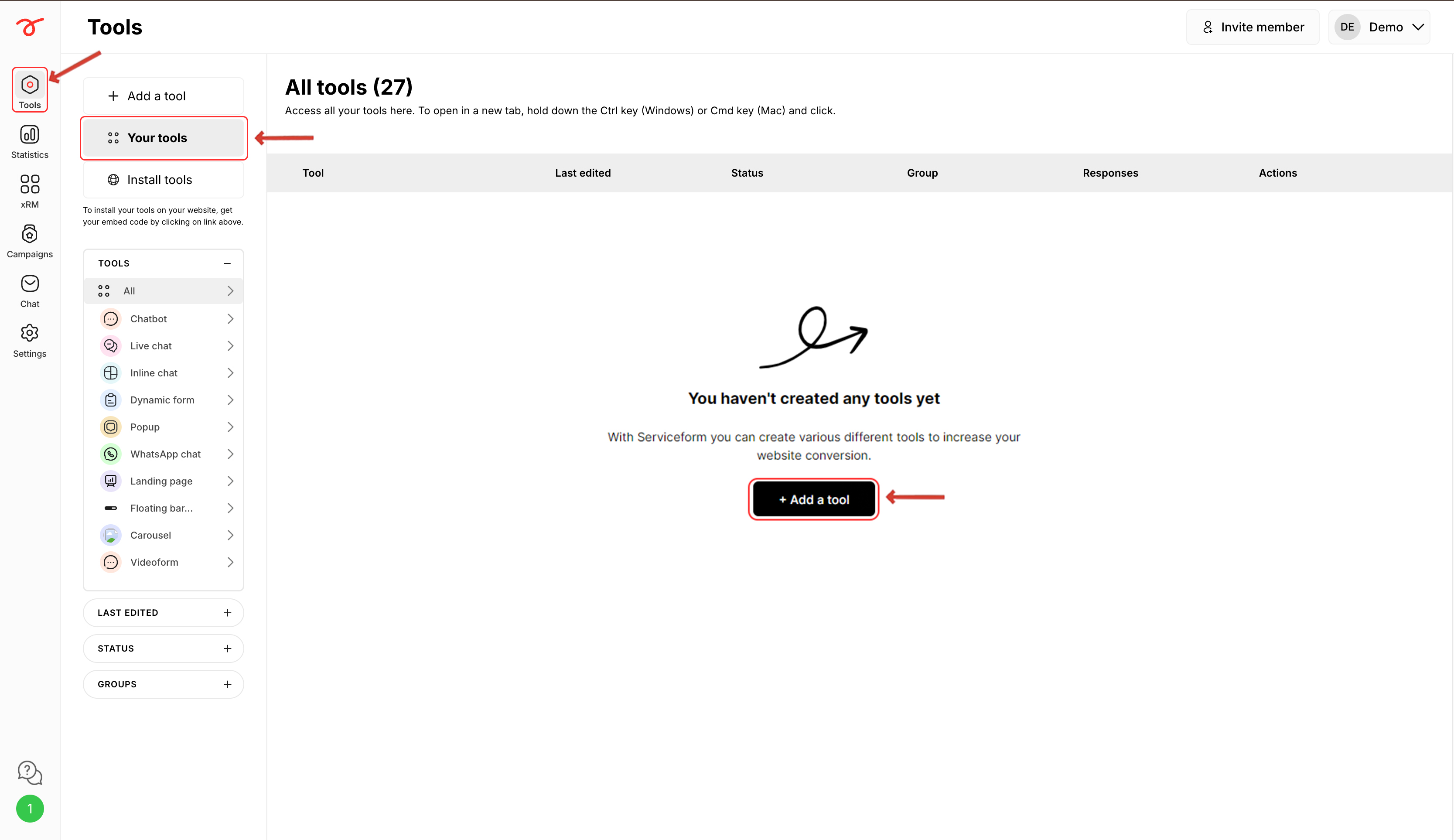
1. Login to your Serviceform account and navigate into the Tools section. Click on Add a tool.
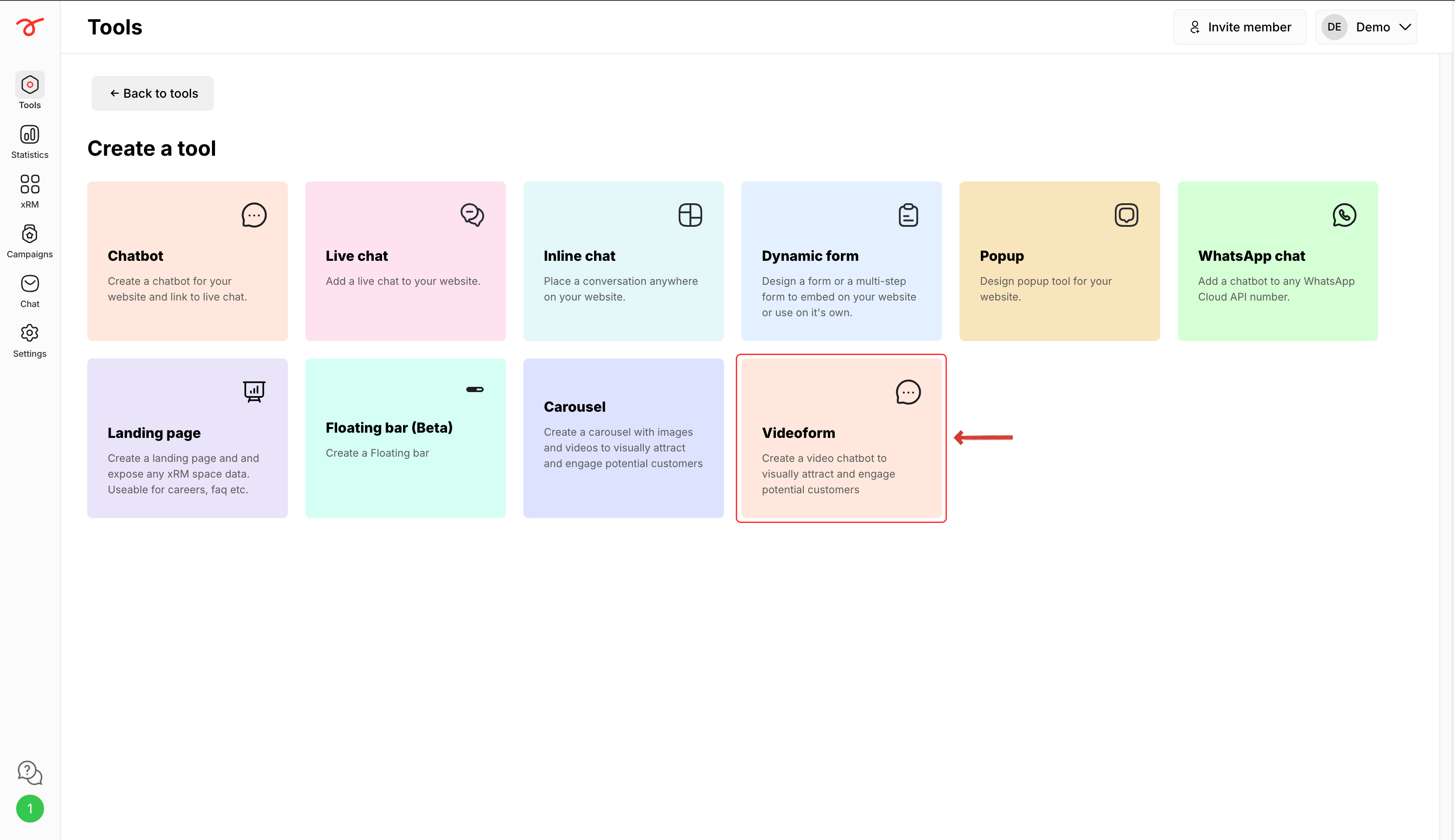
2. Select Videoform.
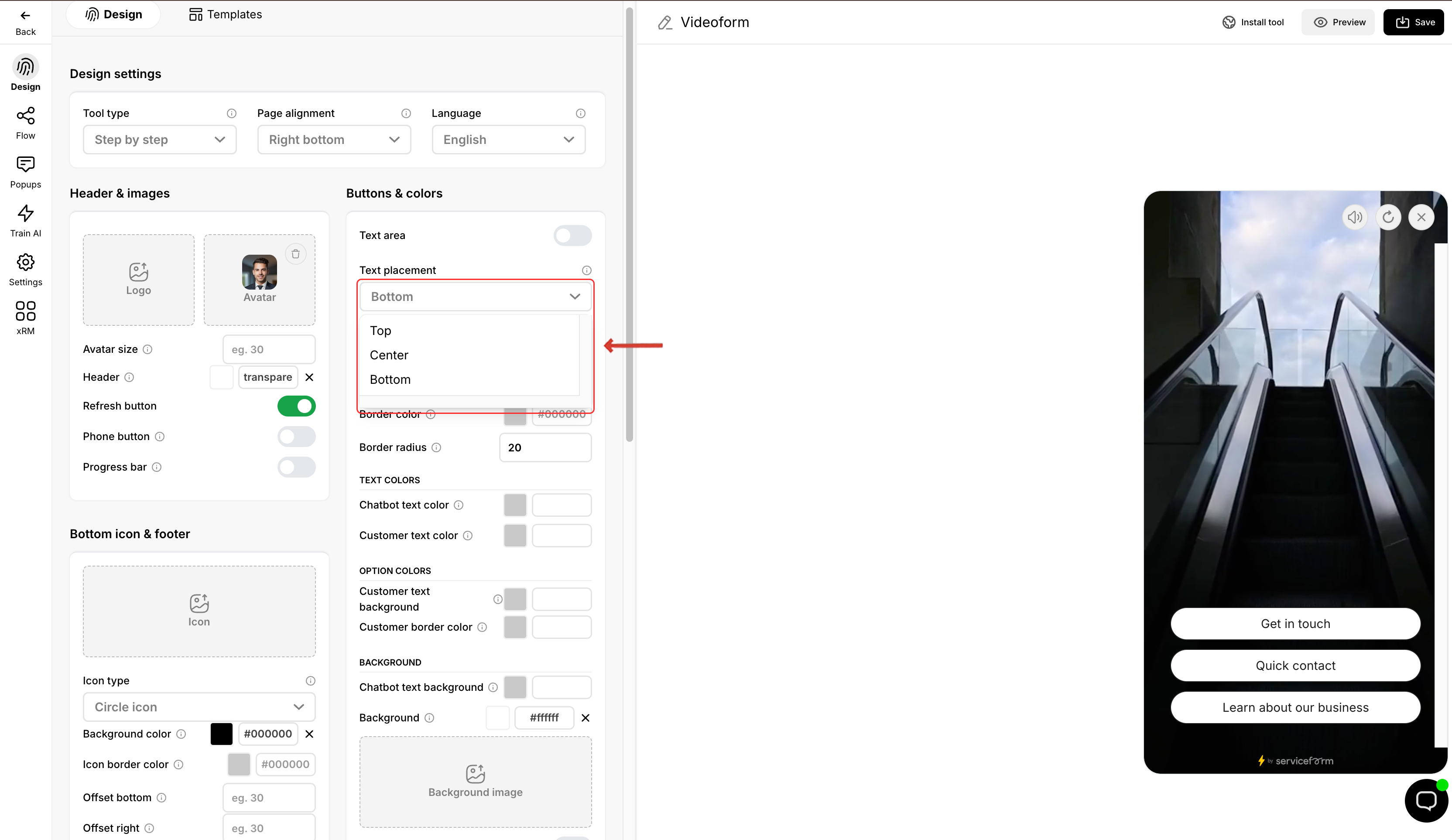
3. Select your preferred Text placement for the text and video/ image.
Once you have setup the Videoform, you can start adding videos into your bot. Check the next article to know more.