




Add videos into pop up
Learn how to add videos into pop up and resize the popup according to your need.
Updated November 6, 2024
Adding videos
You can upload videos of any size into the pop-up and resize the pop-up’s width as needed. Here’s how to add a video to your pop-up:
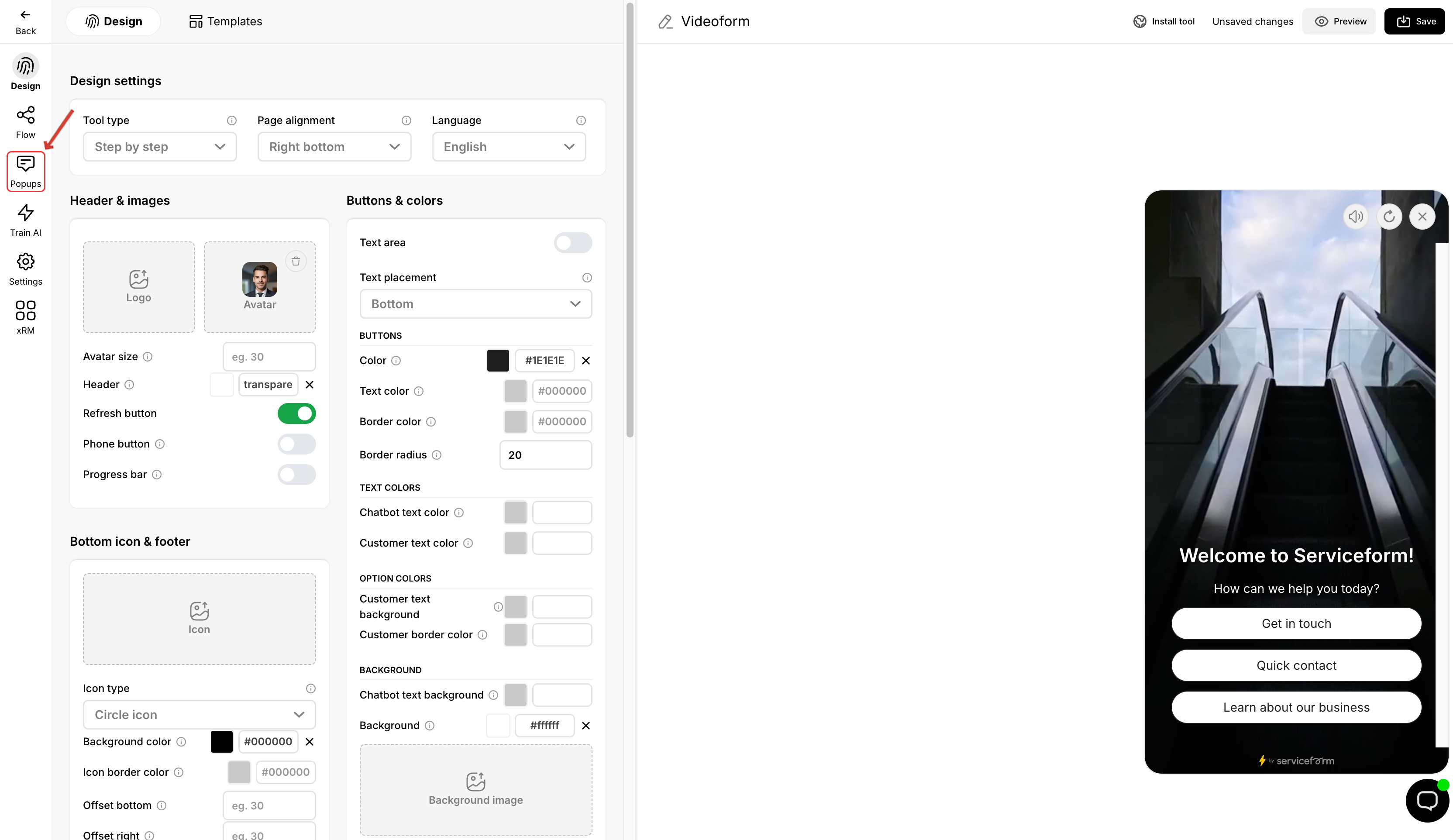
1. In the tools builder interface, click on Pop up.
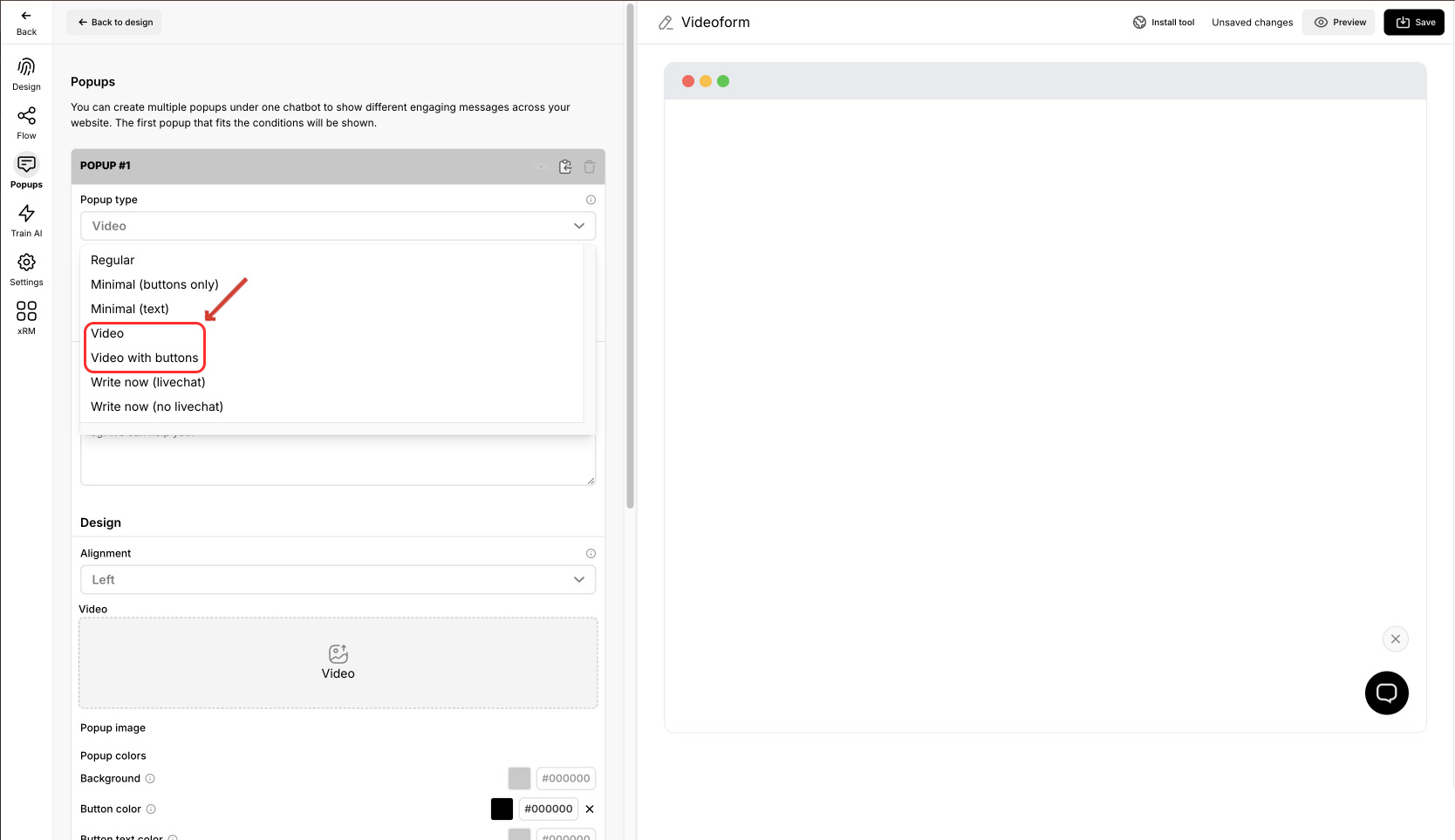
2. Set the pop up type as “Video” or “Video with buttons”.
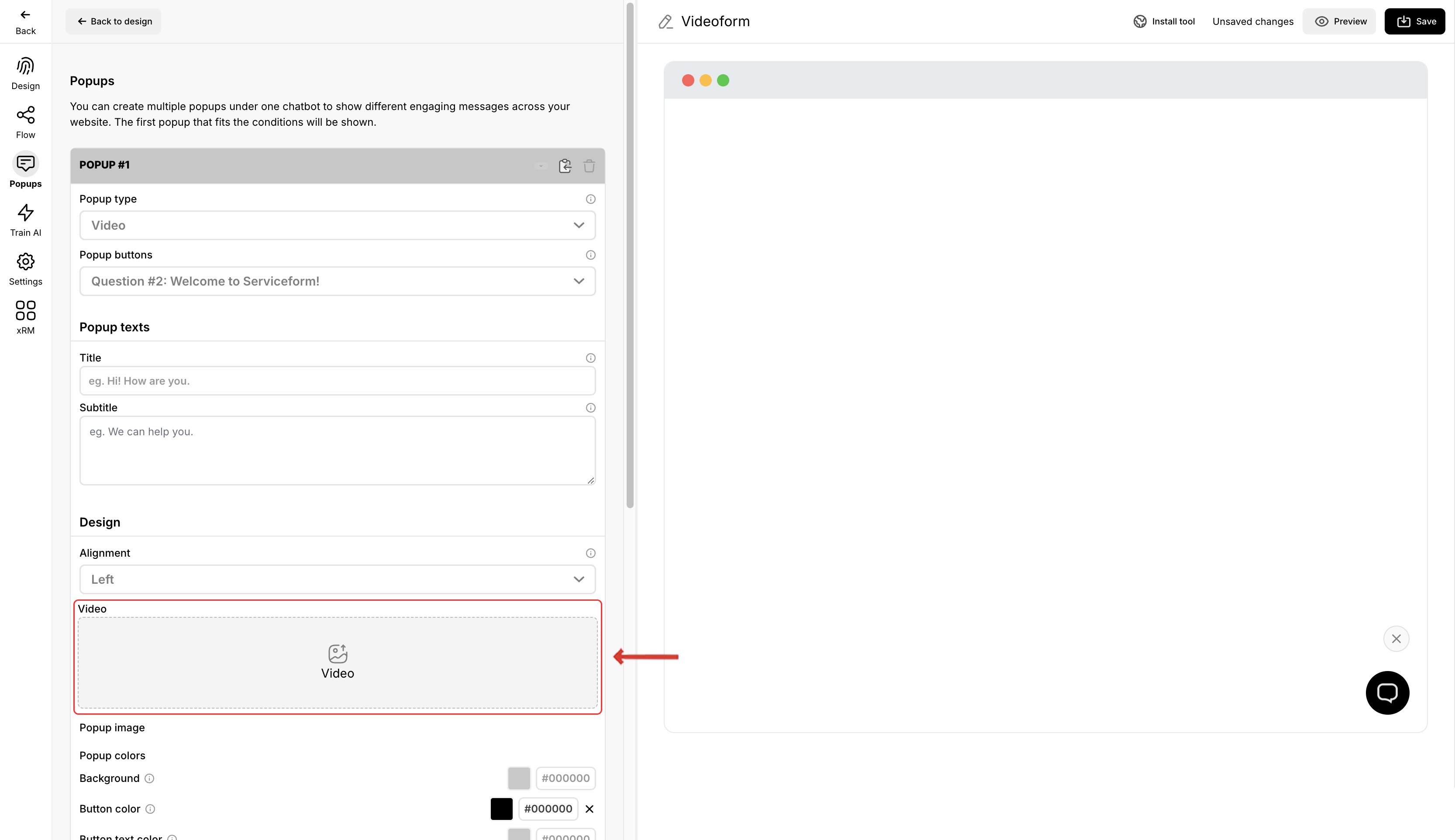
3. Click “Video” and upload the video.
4. Adjust the pop up’s width according to your preference.
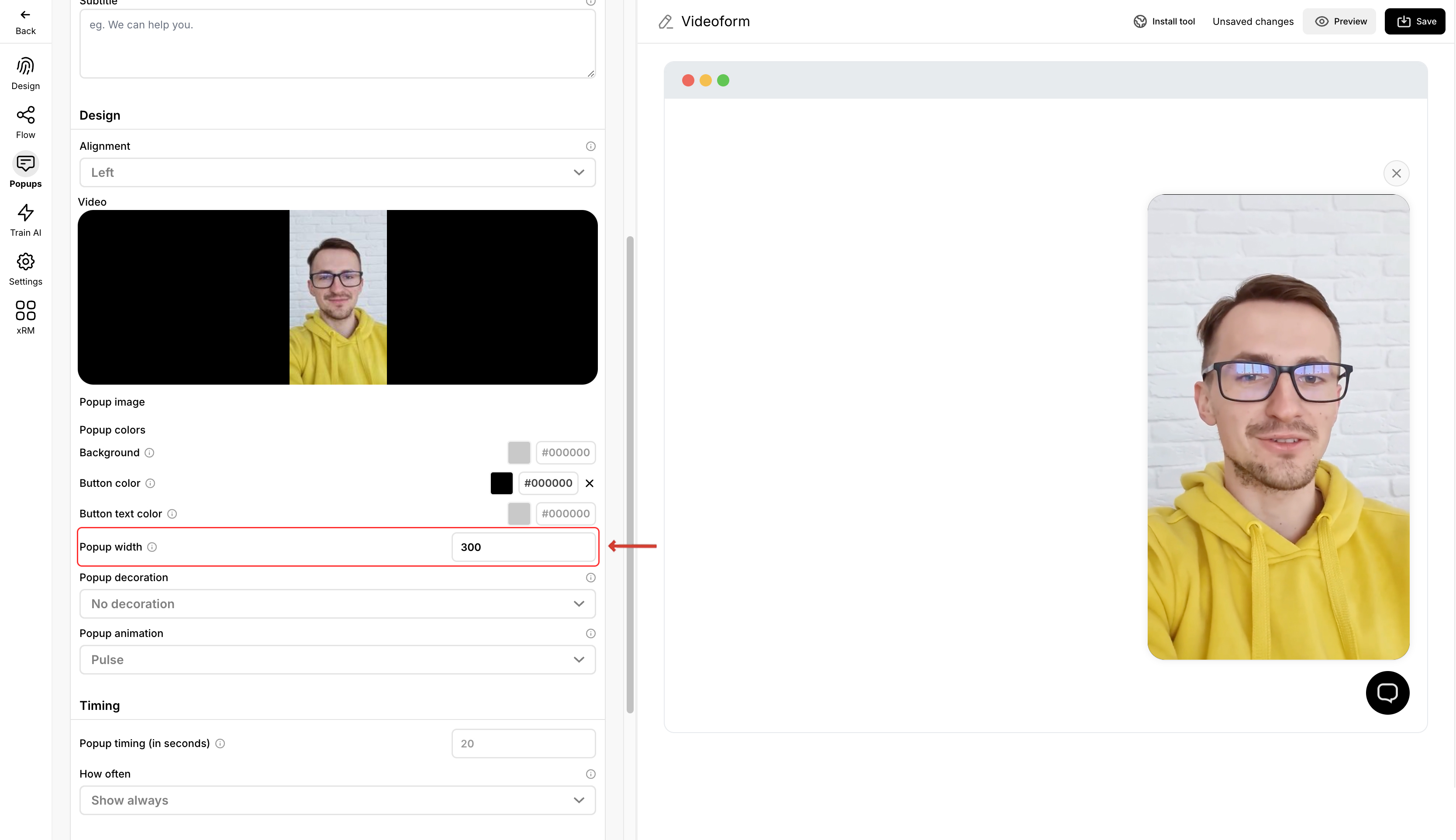
Note that the audio of the popup video will not play due to autoplay policies in browsers.
You can also customize the pop-up further using the other options available in the pop-up interface. Make sure to save and preview the Videoform. If you are satisfied with your design, you can install the tool on your Website.